
Assign multiple images for variants
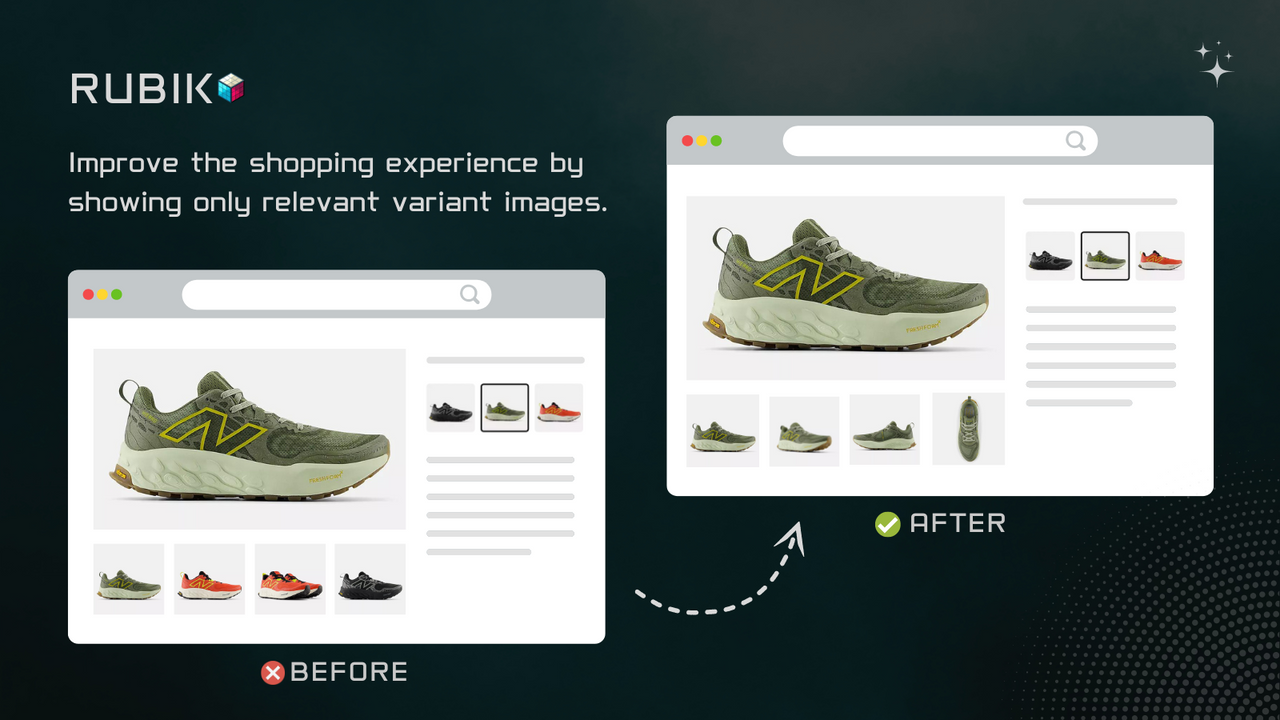
Assign multiple images for unique variants
If your Shopify store offers products with multiple visual variations, such as different colors, patterns, or styles, the Rubik Variant Images app is a game-changer. This app helps you create a cleaner, more intuitive shopping experience by displaying only the images relevant to each product variant.
KEY FEATURES
- Assign Multiple Images Per Variant: Highlight the unique qualities of each variant with ease. Whether it’s a specific shade or a unique pattern, you can assign and organize multiple images for every option in just a few clicks.
- Cleaner User Interface: Customers see only the relevant images for the selected variant, reducing visual clutter and helping them make confident purchasing decisions.
- Seamless Integration: Rubki works perfectly with all Krown Themes Shopify themes.
- Shopify Native Design: Enjoy a familiar and user-friendly interface, along with responsive live customer support to assist with setup or troubleshooting.
This app is perfect for merchants looking to optimize product pages, improve the shopping experience, and potentially increase conversions.
Link products as variants
Some of our themes (Seventh, Local, Combine, Borders), give you the ability to link different products by variants with the Product Siblings block.
For themes that don't have this feature or if you want to explore other methods of linking different products together, we are recommending Rubik Combined Listings Swatch app.

Link separate products as variants with variant image swatches or color swatches on product pages & product cards. Optimize SEO & AEO with lightweight swatches with no impact on page load. Create a combined listings product grouping to group products as variants, which works with all plans and themes. Create product groups in bulk. Change swatch styles with rich customization options & AI assistant. Product info, stock & status auto-sync instantly. Works on product cards on collection pages.